
Mobile play
Starburst on mobile — Android, iOS and casino APKs in India
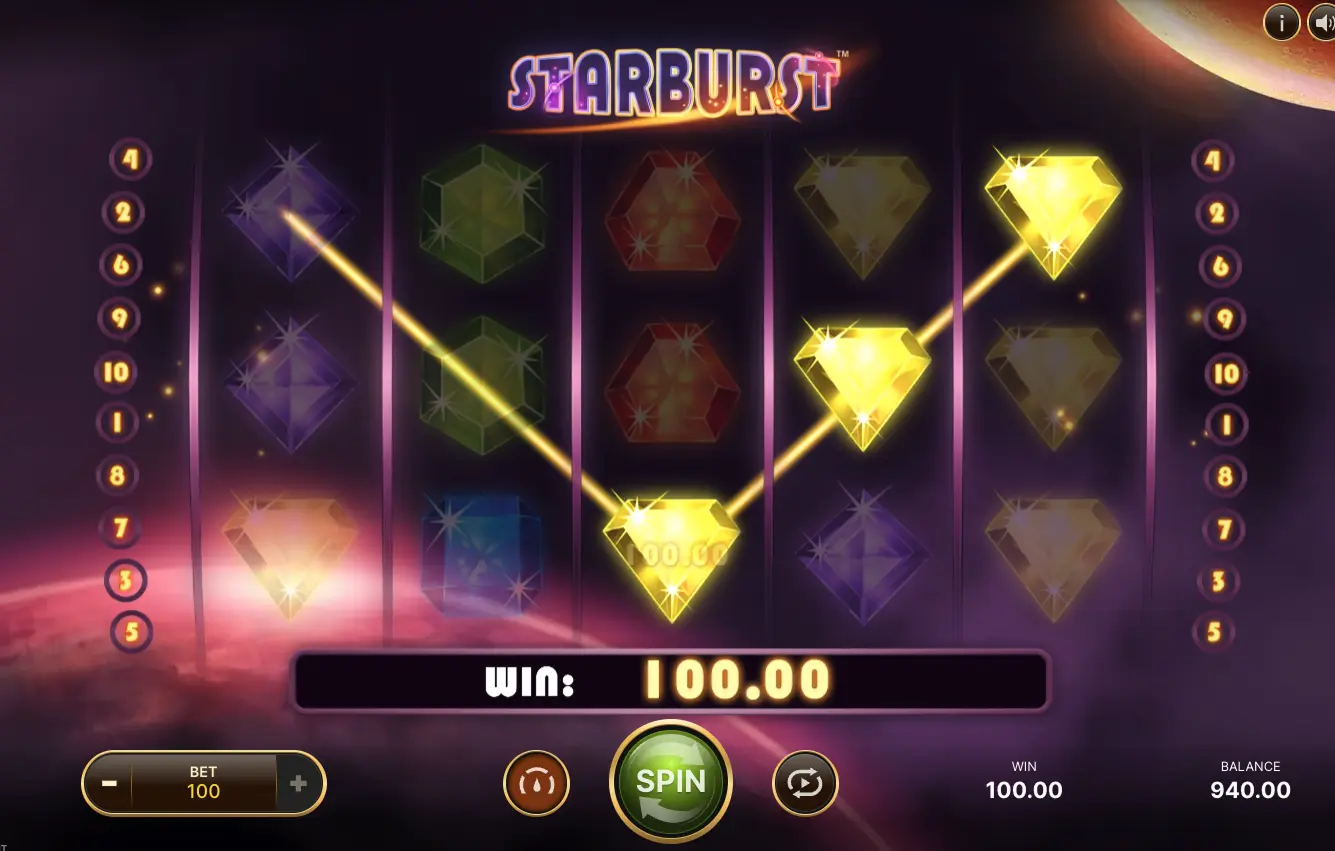
Most Indian Starburst players play on a phone, not a desktop. The good news: the slot is built in HTML5, renders cleanly on every modern Android and iOS device, and runs natively in the browser without an APK download. The bad news: 'Starburst hack APK' search results are almost entirely malware. This page covers what actually works and what to avoid.
Claim ₹75,000 & Play- 96.09% RTP flagship build
- Low volatility — frequent hits
- 10 paylines, wins both ways
- UPI deposits — instant
- Withdrawals 15 min – 24 hours
| Surface | What to expect |
|---|---|
| Web app on Android | Starburst runs fullscreen on Chrome, Samsung Internet and any modern mobile browser. Add the casino to your home screen for an app-like icon — no APK required. |
| Web app on iOS | Safari runs the HTML5 build at native resolution. Apple's App Store does not host real-money casino apps, so Safari plus 'Add to Home Screen' is the standard route. |
| Casino APKs | Several India-facing operators ship their own Android APK with Starburst inside the lobby. Install only from the casino's verified URL — never from a third-party APK mirror. |
| Tablet support | iPad and Android tablets render the 5x3 grid at full quality. Landscape is the intended orientation. |
| Offline play | Not supported. Starburst is server-side, so a live data connection is required for every spin. |
| Battery and data | A 100-spin session uses roughly 8–15 MB of data and minimal battery. Streaming live dealer alongside burns far more. |
Android route
Playing Starburst on Android in India
The default route is the casino's mobile site in Chrome, Samsung Internet or any modern Android browser. The HTML5 build renders at full quality in portrait, scales to landscape on tablets, and uses negligible battery during a 100-spin session.
Casinos that ship their own Android APK — 1win, Mostbet, 4rabet, Rajabets and a handful of others — usually bundle Starburst in the lobby alongside live dealer and crash games. The APK is a thin wrapper around the same web build. Performance is comparable. Only install from the casino's verified URL, never from a third-party APK mirror.
iOS route
Playing Starburst on iPhone and iPad
Apple's App Store does not host real-money casino apps. The route on iOS is therefore always the same: open the casino site in Safari, log in, and add it to your Home Screen for an app-style icon launcher. That gives you a near-native experience without an actual native app.
Performance on iOS is excellent because Safari runs WebGL and HTML5 audio at native priority. iPad in landscape is the most comfortable reading-and-spinning surface — the 5x3 grid scales perfectly to a 10-inch screen.
APK safety
The 'Starburst APK download' search trap
Search for "Starburst APK download" and you will get hundreds of results. Almost none of them are legitimate. NetEnt has never distributed a standalone Starburst APK, because the game runs in HTML5 and is meant to live inside a casino lobby. APK files outside that context fall into three buckets:
- Casino APKs. Built by the operator (1win, Mostbet, etc.), they wrap the casino's full lobby including Starburst. Safe if downloaded from the operator's verified URL.
- Fake 'Starburst' APKs. Standalone files claiming to be the slot. They are malware in essentially every case. There is no real product behind the download.
- 'Hack' and 'predictor' APKs. Built specifically as data-harvesting tools that play on Indian players' hope of beating the maths. The RNG lives on a NetEnt server. No installed app can touch it.
Mobile checklist
Five things to check before you spin on mobile
- Stable connection. Starburst is server-side. A flaky connection causes the round to hang on the result screen, not lose your money.
- Battery above 30%. The session itself uses little power, but a forced shutdown mid-spin is annoying. Plug in if you're low.
- Browser permissions. Make sure the casino's site has cookie and storage permissions so your session and balance stay logged in.
- Two-factor authentication. Turn it on the moment you create the account. The mobile UPI rail is fast — protect the account on both sides.
- Deposit limit set. Set a daily or weekly cap inside the casino's responsible-gaming tools before the session. Phones make impulse deposits trivial.
Real-money route
Ready to spin on mobile?
The mobile build runs identically on Android, iOS, and inside the official casino APKs. Take the recommended route and use STARBURST2026 for up to ₹75,000 across the first 4 deposits.
STARBURST2026 · up to ₹75,000 across the first 4 deposits · New eligible players only. Check your state's law, casino terms and wagering contribution before depositing.
Frequently Asked Questions
Is there an official Starburst app on Google Play or the App Store?
No. NetEnt does not publish a standalone Starburst app on Google Play or the App Store, because real-money casino games are restricted on both storefronts. Starburst is played either through the casino's mobile website on Android and iOS, or through the casino's own APK on Android.
Are 'Starburst hack' or 'predictor' APKs real?
No. Every APK claiming to hack, predict or modify Starburst is malware. The RNG that decides outcomes lives on NetEnt's server, not on your phone — no app installed locally can change it. Treat these downloads as harvesting tools for your phone's data, not as gambling tools.
Does Starburst work on iPhone?
Yes, through Safari at any casino lobby. Apple's App Store does not host real-money casino apps, so the route on iOS is always 'open the casino site in Safari and add to Home Screen' for an icon-launched experience.
Does mobile Starburst use more data than desktop?
No. The asset payload is identical because HTML5 ships the same graphics to every device. A 100-spin session typically uses 8 to 15 MB of data. Streaming live dealer alongside Starburst burns far more.
Should I install a casino APK?
Only if you download it directly from the casino's verified URL — never from a third-party APK mirror. A legitimate casino APK is a thin wrapper around the same mobile web build and offers marginal performance gains. The browser route is just as good in 95% of cases.